The Complete List of eSIM Compatible Phones and Devices You Can Use Today
Tired of fumbling with tiny physical SIM cards when switching carriers or traveling abroad? Your solution lies in eSIM compatible devices, which embed a programmable chip directly into your phone, tablet, or laptop. Instead of inserting a plastic card, you simply download a digital profile from your chosen carrier to activate cellular service. This built-in functionality allows you to instantly switch between providers or add a second line without visiting a store or waiting for mail delivery.

Understanding Device Readiness for Embedded SIM Technology
Understanding device readiness for embedded SIM technology involves confirming that a device’s hardware and firmware support the eSIM specification, specifically GSMA’s remote provisioning architecture. For eSIM-compatible devices, this means the embedded chip must be eUICC-compliant and the device’s operating system must include a local profile assistant (LPA) to manage carrier profiles. Users should first check their device’s settings menu for an “Add Cellular Plan” or “Mobile Plans” option, which indicates LPA presence. Without native eSIM support, a device cannot activate a cellular line via software alone—physical SIM removal is impossible. Even a technically compatible device may still require a specific carrier profile to function correctly. Therefore, readiness is not automatic; verification against the manufacturer’s listed eSIM specifications is essential before purchase or activation.
How to Identify If Your Phone Supports Digital SIM Profiles

To identify if your phone supports digital SIM profiles, first check the device settings by navigating to Mobile Network or Connections and looking for an option labeled “Add eSIM” or “Download SIM profile.” Alternatively, dial *#06#; if an EID (Embedded Identity Document) number appears, your device is capable. You can also verify through the phone’s IMEI on the manufacturer’s official compatibility list. For Android, ensure the device runs Android 13 or later, as older versions may lack native support. iPhones from the XS/XR onward inherently support digital SIMs, but carrier locking can disable this feature.
Key Hardware Requirements for Activating an eSIM
Activating an eSIM requires the device to have a dedicated eSIM chip or embedded UICC soldered onto the motherboard, which cannot be removed or swapped. The hardware must support GSMA-compliant eSIM profile management, typically enabled by a compliant modem and firmware. For smartphones, the chipset must include an eSIM-compatible baseband processor; for wearables, the device needs a certified eSIM controller. Additionally, the device must possess secure storage to hold the eSIM profile during activation, ensuring no physical SIM slot is necessary for initial setup.
Distinguishing Between Dual SIM and eSIM-Only Models
When assessing device readiness, distinguishing between Dual SIM and eSIM-only models is critical. A dual SIM phone typically features one physical nano-SIM slot alongside an embedded eSIM, letting you run two lines simultaneously—ideal for separating work and personal numbers without carrying a second handset. An eSIM-only model, however, removes the physical tray entirely, relying solely on the embedded SIM. This design frees internal space for larger batteries or slimmer frames but forces you to manage all profiles digitally, which can be less flexible for quick swaps between old and new devices.
| Aspect | Dual SIM (Physical + eSIM) | eSIM-Only |
|---|---|---|
| Slot availability | One nano-SIM tray + one eSIM | No physical slot; two or more eSIMs |
| Line swapping speed | Fast manual SIM card swap | Requires digital profile transfer |
| Device resale flexibility | Easy to hand off with a SIM | Must erase and re-provision eSIMs |

Smartphones Leading the Transition to Digital Connectivity
Smartphones are the primary catalyst for shifting users from physical SIM cards to digital connectivity through eSIM compatibility. A compatible device allows instant activation of a cellular plan without needing a plastic card, enabling seamless switching between carriers for better local coverage when traveling. This integration directly simplifies adding a secondary line for work or personal use, managed entirely through software settings. Not all eSIM features are unlocked at launch, as carrier-side provisioning often determines the full scope of remote profile management. The phone’s onboard secure element stores multiple profiles, but users can typically only activate one at a time on standard dual-SIM models, with dynamic switching controlled via the device’s connection manager. Ultimately, the smartphone’s native eSIM support makes transitioning to a purely digital identity practical for everyday roaming and immediate for testing new networks.
Latest iPhone Models Supporting eSIM Configurations
The latest iPhone models, starting with the iPhone XS, XR, and newer, fully support eSIM configurations, letting you activate a cellular plan without a physical SIM. For dual-SIM use, you pair one physical nano-SIM with an eSIM, or run two active eSIMs on the iPhone 13 and later. This setup is perfect for travel or separating work and personal lines. Setting up an eSIM on your iPhone is straightforward:
- Go to Settings > Cellular > Add Cellular Plan.
- Scan the QR code provided by your carrier or enter details manually.
- Label your plans (e.g., Personal, Business) and choose a default line for calls, messages, and data.
All models from the iPhone XS to the latest iPhone 15 series support this feature out of the box.
Samsung Galaxy Lineup with Integrated SIM Capabilities
The Samsung Galaxy lineup makes switching to an integrated SIM ecosystem effortless, letting you activate a secondary line straight from the phone’s settings without hunting for a physical card. On models like the Galaxy S24 and Z Fold6, you can run two active numbers simultaneously—one on the eSIM, one on the physical slot—perfect for separating work and personal calls. Travel becomes simpler too; you scan a QR code from a local carrier to add a data plan instantly. Setup takes just a few taps under Connections, and you can store multiple eSIM profiles while using only one at a time.
- Manage two active lines at once using one eSIM and one physical SIM.
- Add a travel plan by scanning a provider’s QR code in seconds.
- Switch between stored eSIM profiles directly from the phone’s SIM manager.
Google Pixel Phones Built for Seamless eSIM Setup
Google Pixel phones are engineered for a frictionless eSIM experience, directly supporting instant carrier activation without physical SIM cards. The setup process follows a clear sequence: first, users scan a QR code or use a carrier app; second, they select the eSIM as their primary line. Pixel devices automatically manage dual SIM functionality, allowing one eSIM for data and another for calls. All models from the Pixel 3 onward include eSIM hardware, with newer models like the Pixel 8 and 9 offering multiple eSIM profiles that can be swapped in Settings without needing a physical SIM tray.

OnePlus and Other Android Flagships Embracing eSIM
OnePlus and other Android flagships have fully embraced eSIM, offering users a seamless way to manage dual profiles without physical SIM trays. This integration allows you to quickly switch between a personal and work number, or activate a local data plan when traveling abroad, directly from your device’s settings. Flagship models from OnePlus, alongside Samsung and Google, now come with built-in eSIM support that simplifies carrier switching. You can store multiple profiles and toggle between them instantly, eliminating the need to swap tiny cards. This makes the phone more streamlined and future-proof for digital-first connectivity.
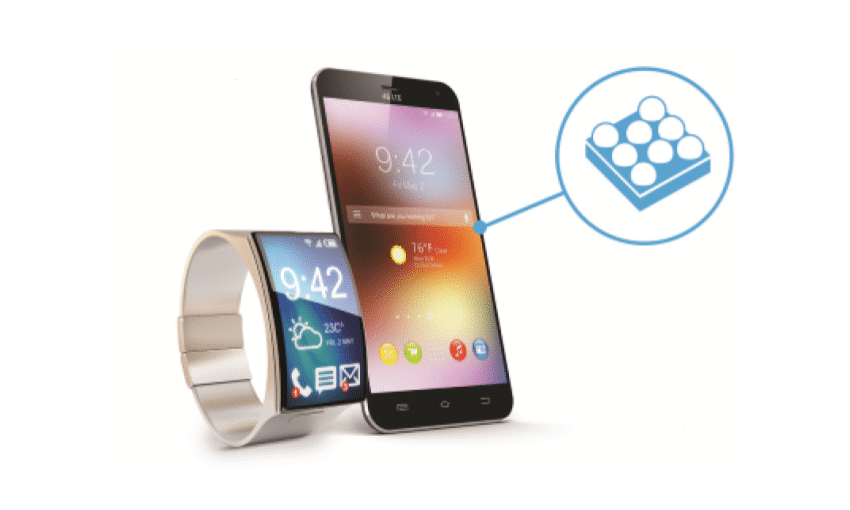
Beyond Phones: Expanding eSIM Support in Tablets and Laptops
The hum of the coworking space faded as my laptop, an esim compatible device, switched seamlessly from a hotel’s flaky Wi-Fi to a local data plan I’d loaded before leaving home. No dongles, no hunting for a physical SIM tray. My tablet, also eSIM-ready, mirrored this flow—downloading a regional profile in seconds while I waited for coffee. Q: How does eSIM in a laptop differ from a phone’s setup? A: It allows you to activate a separate, high-data plan directly on the device, bypassing phone tethering while keeping both gadgets independently connected. In practice, this meant my tablet handled video calls while the laptop managed heavy downloads—each with its own live eSIM, no swapping needed.
Apple iPads with Cellular eSIM Options
Apple iPads with cellular eSIM options transform how users activate data, eliminating the need for a physical SIM tray on models like the iPad Pro and iPad Air. With integrated eSIM technology in Apple iPads, you can instantly add a plan from a supported carrier directly via Settings, ideal for travelers seeking local data without swapping cards. The latest iPads support multiple eSIMs, allowing simultaneous storage of several plans, though only one active at a time. This flexibility lets you switch between work and personal accounts on the fly.
Can you use two eSIMs at once on an Apple iPad? No, while an iPad can store multiple eSIM profiles, only one cellular data plan can be active at any given moment. To change, simply select a different stored eSIM in Settings.
Microsoft Surface Devices and eSIM Compatibility
Microsoft Surface devices, particularly the Surface Pro 9 and later Surface UK eSIM Laptop 5 models with 5G, integrate eSIM support for always-connected computing. Users can activate a cellular data plan directly via the built-in eSIM without a physical SIM, or use the nano-SIM slot as a backup. Configuring eSIM requires navigating to Settings > Network & Internet > Cellular, where users add a profile from a supported carrier. This setup is ideal for professionals needing reliable connectivity across LTE and 5G networks, though eSIM functionality depends on the device’s specific modem hardware (e.g., Qualcomm Snapdragon). Not all Surface models include an eSIM; only the 5G variants offer this feature, making Surface Pro 9 5G eSIM configuration a key differentiator for mobile work.
Microsoft Surface 5G devices support eSIM for direct carrier activation, complementing the physical SIM slot, but only specific Pro and Laptop models with integrated 5G modems offer this capability.
Chromebooks and Windows Laptops Leveraging Remote SIMs
Chromebooks and Windows laptops now leverage remote SIMs to activate cellular data plans without a physical nano-SIM. This built-in hardware allows users to purchase and manage mobile data from multiple carriers directly within the OS settings, enabling instant connectivity on the go. A remote SIM profile can be provisioned for a specific device, meaning a Chromebook or Windows laptop can maintain its own data line independent of a paired smartphone. This is particularly practical for professionals needing failover internet or field workers requiring a persistent LTE or 5G connection. Standalone laptop connectivity via remote SIMs eliminates reliance on personal hotspots, providing a dedicated and secure connection for critical tasks like cloud access or VPN sessions.
Wearables and Smart Devices Optimized for Embedded SIMs
Wearables and smart devices optimized for embedded SIMs leverage a permanently soldered chip instead of a physical card, enabling a sealed, water-resistant design without a SIM tray. For eSIM compatible devices like smartwatches and fitness trackers, this allows independent cellular connectivity, meaning calls, messages, and data work without tethering to a paired phone. Users activate service by scanning a QR code or using a carrier app, enabling quick carrier switching. Battery life management is critical, as constant cellular radio use drains power faster than Bluetooth-tethered operation; many devices offer a standalone mode to save energy when not needing data. The compact form factor also permits slimmer profiles and more durable construction for active use.
Apple Watch Series with Standalone eSIM Functions
The Apple Watch Series with standalone eSIM functions, like the cellular models of the Series 9 or Ultra, truly cut the cord. With standalone connectivity, you can make calls, stream music, and use maps without your iPhone nearby. This works because the embedded eSIM profile is written directly to the watch, syncing with your carrier’s network. The setup is simple through the Watch app, and you can even add a separate number for your wearable. Can I use an Apple Watch Series with standalone eSIM without an iPhone at all? While you need an iPhone for initial setup and pairing, once the eSIM is active, the watch operates fully on its own for calls, texts, and apps.
Samsung Galaxy Watch Models Using Digital SIM Cards
When looking at Samsung Galaxy Watch models using digital SIM cards, the Galaxy Watch 6, Watch 5, and Watch 4 series each offer LTE variants that ditch the physical nano-SIM. You set up your eSIM right from the Galaxy Wearable app on your phone, choosing a carrier plan during initial pairing. The Watch 6 and Watch 5 are best, as they support the newer, more stable eSIM profiles, while the Watch 4 may require a specific carrier QR code. All these eSIM-enabled models let you take calls and stream music without your phone nearby, but remember you might need to activate the digital line separately.
Fitness Trackers and Smart Glasses with eSIM Integration
Fitness trackers with eSIM mean you can leave your phone behind for runs, streaming music directly and taking calls from your wrist. Smart glasses use the embedded SIM to display turn-by-turn navigation or translate signs in real-time, without tethering. For setup, you simply activate an eSIM data-only plan via the device’s companion app. The process usually follows a clear sequence:
- open the wearable’s settings and find the eSIM section
- scan a QR code from your carrier or use a downloaded profile
- confirm activation and choose which apps can use cellular data
This keeps both devices lightweight since there’s no physical SIM tray, and you can manage your eSIM profile directly from your phone’s dashboard.
Regional and Carrier Restrictions Affecting eSIM Usage
Even with an eSIM compatible device, your freedom to switch networks is often blocked by regional and carrier restrictions. A phone sold in one country may refuse to activate a travel eSIM from another region, or a specific carrier might lock the eSIM slot entirely, requiring a domestic profile before allowing an international one. Some devices also restrict dual-active eSIM usage, forcing you to choose between a local and a roaming profile.
Always verify if your device is both unlocked and regionally approved for the eSIM you plan to use, or you risk buying a compatible phone that simply won’t connect.
These limitations are hard-coded into the firmware, not just the network settings.
Country-Specific Device Variants and eSIM Limitations
Certain flagship devices sold in regions like Japan or China ship as country-specific hardware variants that deliberately lock eSIM functionality. For instance, a dual-SIM iPhone sold in Hong Kong often lacks the eSIM IMEI entirely, while its U.S. counterpart supports multiple eSIM profiles. Similarly, Samsung’s Galaxy S24 in South Korea may restrict eSIM activation to local carriers only, leaving you unable to switch profiles abroad. This means checking your device’s exact model number against its region-specific specs is essential before traveling; otherwise, you risk buying a phone that physically cannot provision a foreign eSIM.
| Region Variant | eSIM Limitation |
|---|---|
| China (iPhone) | No eSIM support; dual physical nano-SIM only |
| Japan (Pixel 8) | eSIM locked to Japanese carrier profiles |
Carrier Lock-In and eSIM Activation Policies
Carrier lock-in directly limits eSIM functionality, as many devices sold via a specific carrier are locked to that network. This prevents you from activating a travel or local eSIM from another provider without first obtaining an unlock code. Activation policies further complicate matters; some carriers force you to use their proprietary app or QR code, blocking manual eSIM profile installation. Before buying a device, verify it is sold unlocked. Carrier-locked eSIM activation policies can render a compatible phone useless with your preferred plan.
Q: Can I switch eSIM providers if my phone is locked to a carrier?
No. A carrier-locked device will reject eSIM activations from other networks until it is officially unlocked.
How Roaming Profiles Work Across Different Networks
When an eSIM-compatible device moves between networks, roaming profiles operate by storing multiple operator credentials directly on the eSIM chip. Each profile contains specific network identifiers and authentication keys. Upon crossing into a different carrier’s territory, the device automatically selects the active profile based on the local network’s roaming agreement with the home carrier. This selection process triggers a temporary network attachment without requiring a physical SIM swap. The device holds the profile in a dormant state until needed, then activates it via over-the-air commands, ensuring seamless switching across distinct carrier infrastructures while respecting regional spectrum allocations.
Future-Proofing Your Purchase: Checklist for eSIM Readiness
When future-proofing your purchase, ensure the device explicitly lists eSIM-only or dual SIM (physical + eSIM) in its specs, avoiding older hybrids that lock you into one carrier. Verify the phone or tablet supports multiple eSIM profiles so you can switch networks instantly while traveling. Check that your region’s firmware includes eSIM activation—some international models ship with the feature disabled. A device with a locked eSIM slot is no different from a carrier-tied phone, negating the entire flexibility advantage. Also confirm your chosen brand’s recent flagships and mid-rangers all share the same eSIM architecture, ensuring future updates won’t orphan your ability to add new plans.
Verifying IMEI and eSIM Support Before Buying
Before purchasing any device, always verify IMEI and eSIM support to confirm long-term compatibility. Check your device’s IMEI number against your carrier’s whitelist, as not all unlocked phones support eSIM profiles. Manufacturer specification sheets often omit this detail, so use an official IMEI checker tool for accuracy. Without this verification, you risk buying a handset locked to a physical SIM only, limiting future network flexibility.
- Locate your IMEI by dialing *#06# or checking the Settings > About Phone menu.
- Cross-reference the IMEI with your intended carrier’s eSIM eligibility page.
- Confirm the device supports both an eSIM and a physical SIM slot for dual-SIM setups.
Understanding eSIM vs. Physical SIM Tradeoffs
Choosing between an eSIM and a physical SIM requires analyzing core tradeoffs in device flexibility. eSIMs free up the SIM tray, allowing for a sleeker, often more water-resistant design, and enable instant carrier switching without a physical card. However, this convenience comes at the cost of portability; a physical SIM can be swapped instantly between phones, while an eSIM is locked to the device until you deactivate it or scan a new QR code. Managing multiple profiles is easier with eSIMs, but if your device fails, a physical SIM remains independent for emergency use. Ultimately, eSIM device flexibility trades physical transferability for streamlined remote management.
eSIMs prioritize remote management and design over the instant, physical portability of a traditional SIM card.

Keeping Firmware Updated for Optimal eSIM Performance
Regularly updating your device’s firmware is critical for maintaining optimal eSIM performance, as manufacturers release patches that address connectivity bugs, profile management glitches, and security vulnerabilities specific to eSIM modules. Without these updates, you may experience slower activation times, dropped network connections, or failures when switching carriers. Check for firmware updates monthly in your device’s settings, especially before traveling to a new region or changing eSIM plans. Since eSIM profiles rely heavily on software-level integration, outdated firmware can corrupt stored profiles or prevent remote provisioning from completing. Always install the latest version to ensure seamless communication between the embedded SIM hardware and network infrastructure.